This is the multi-page printable view of this section.
Click here to print.
Return to the regular view of this page.
Displays — Your Data on a Screen, On Site
OGLAS displays put your readings on a screen right where you need them — a compact touchscreen, a 7-inch tablet, a battery e-paper dashboard, or a low-power e-ink summary. No phone, no laptop, no login. Live sensor grids, themes, and at-a-glance screens that sip battery.
A hub collects your data and Local lets you dig into it — but
sometimes you just want to glance at a screen on the wall and see how things are
going. That’s what an OGLAS display is: your live readings, on a screen, right
where you work — no phone to unlock, no laptop to open, no login.
Displays read straight from your hub, so they keep working whether or not the site
has internet. Pick the one that suits the spot — a compact touchscreen by the door,
a 7-inch panel in the office, a battery e-paper dashboard
on the kitchen bench, or an e-ink summary that runs for weeks on a charge.
Tap any screen for a closer look:
The options
- Compact touchscreen — a small panel showing the handful of readings you check
every day, with a couple of pages you can swipe between. Mounts anywhere there’s
power.
- 7-inch panel — more room: the full sensor grid live, plus settings like
brightness and a choice of colour themes so it reads well in a bright shed or a
dim office.
- E-paper dashboard — a full site summary on
battery-powered colour e-paper: pages of readings, your calendar, and its own
onboard sensors, running for months on a charge with no power point at all.
- E-ink summary — clock, battery, yield, temperature — the at-a-glance numbers
on a screen that draws almost nothing and stays readable in direct sun. It runs
for months on a charge — ideal where you want a number, not a dashboard.
How it fits
Displays sit alongside the rest of the pipeline — Sensors → Hubs → Displays /
Local → Cloud. They show what the hub already has, so
they’re an add-on to any site, not a separate system. A hub can drive a display and
still log to Local and copy to Cloud at the same time.
Want a display laid out for your site — the readings that matter, where you want
them? That’s a custom build.
Tell us what you’d want on the screen.
1 - E-paper dashboard
A battery-powered e-paper dashboard — your key readings, your calendar, and a site summary on a screen that runs for months on a charge, readable in direct sun.
The OGLAS e-paper dashboard is a full site summary on a colour e-paper panel — temperatures, tanks, batteries, weather, even your calendar — on a screen that draws almost nothing, stays readable in direct sun, and runs for months on a charge. No power point, no cable: put it on the kitchen bench, the office shelf, or the shed wall, wherever you actually glance.
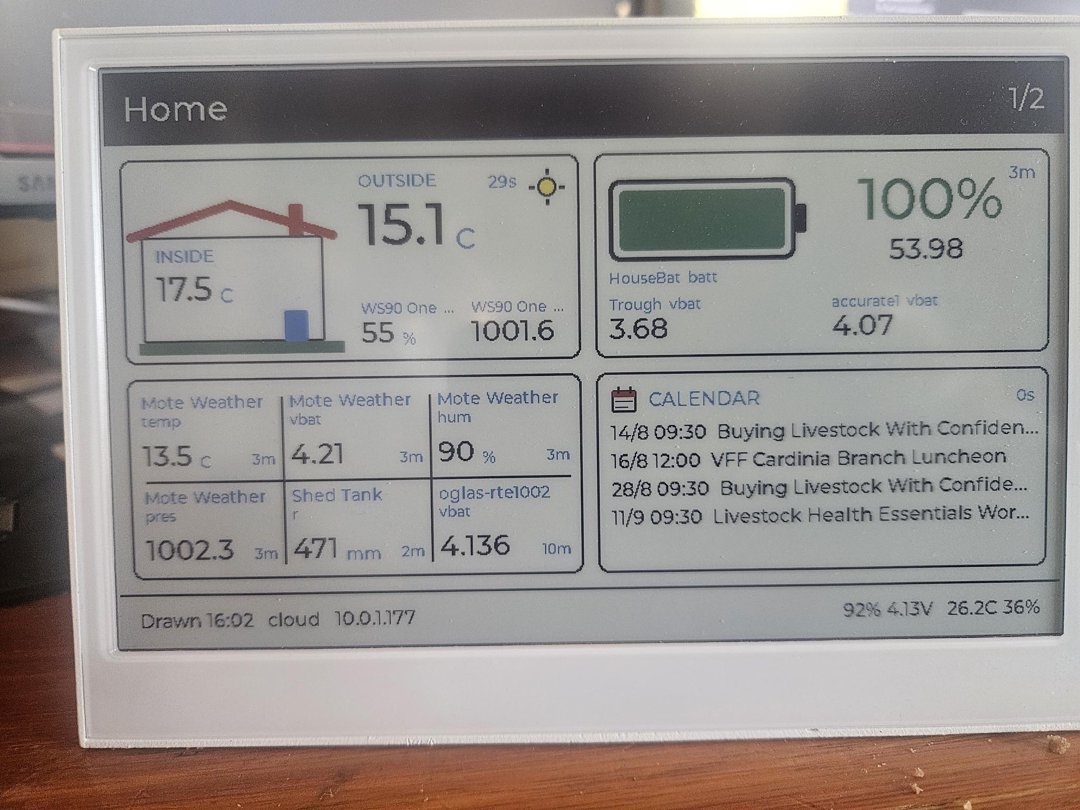
What it shows
Up to five pages you flip between — the photo is page 1 of 2 on this unit. Each page has a type: the Home summary above mixes inside/outside temperature, weather, a tank level, and battery states with a calendar of what’s coming up — livestock workshops, branch luncheons, whatever’s in your feed. Every tile carries its data age beside it (29s, 3m, 10m), so you always know how fresh a number is.
Which pages, and what’s on them, is picked from a config page the panel itself serves — set it up from a phone. A brand-new unit with nothing configured comes up as its own access point and shows a QR code to join it.
Stays connected
The panel knows up to four WiFi networks and joins the strongest one in range — house network near the house, shed network near the shed, hotspot when you carry it somewhere odd. It reads from your Cloud first and falls back to the local hub when the internet’s out, so the screen keeps updating either way. The footer tells you which source drew the screen, and when.
Runs for months
E-paper costs nothing between refreshes — the picture stays on the glass with the power off. Refreshing every 90 minutes, the panel runs about three months on a charge; refresh more often and it’s still weeks, not days. The footer shows its own battery, so the panel tells you when it wants the charger long before it goes dark.
Its own sensors
The dashboard is also a sensor: onboard temperature, humidity, and battery voltage, reported into OGLAS like any other node. In the photo it appears twice — as the oglas-rte1002 vbat tile in the grid, and along the footer (92% 4.13V 26.2C 36%). Put it in a room and you’ve monitored the room.
Hardware
A Seeed reTerminal E1002: 800×480 colour e-paper (E Ink Spectra 6), ESP32-S3, three buttons, rechargeable battery, USB-C charging. It runs the same OGLAS display firmware family as the touchscreens, configured the same way — the only difference is that this one budgets every second it’s awake.
Pairs well with
- A large display or 7-inch panel as the live “everything” view, with the e-paper dashboard as the glanceable summary somewhere without power.
- Weather and water sensors — the readings in the photo.
- Cloud — the calendar and the remote data source come from there.
Want different pages — power yield, water levels, the paddock rotation? That’s a custom build — tell us what you’d want on the screen.
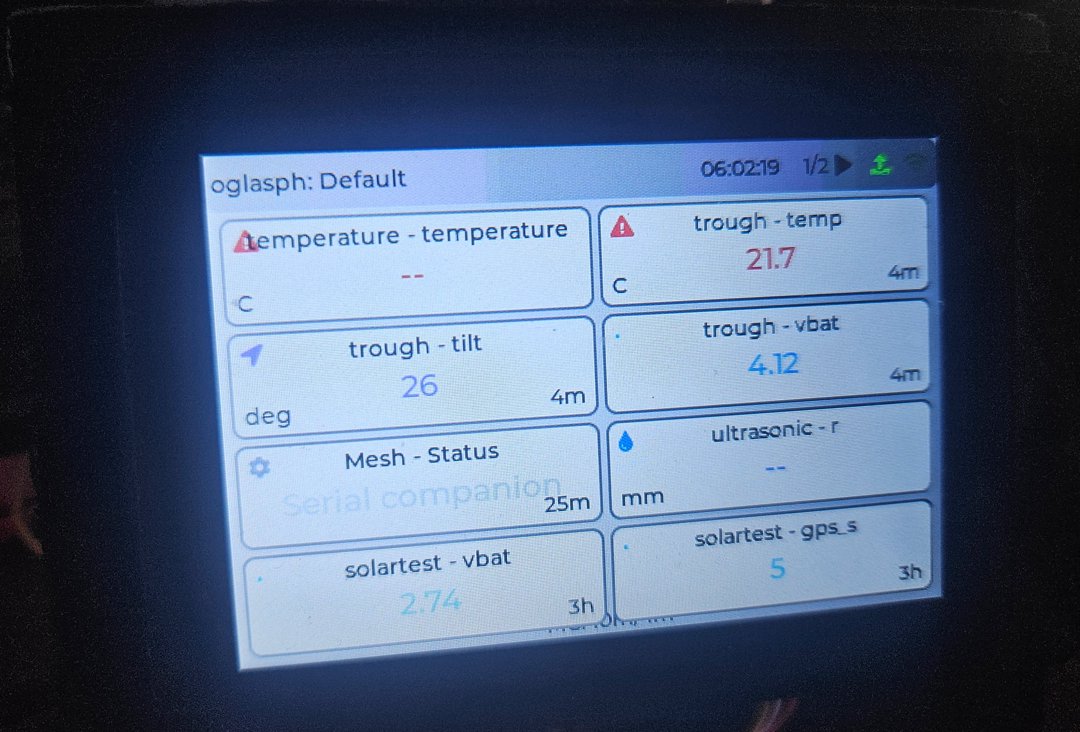 Compact touchscreen — key readings at a glance, by the door or the bench
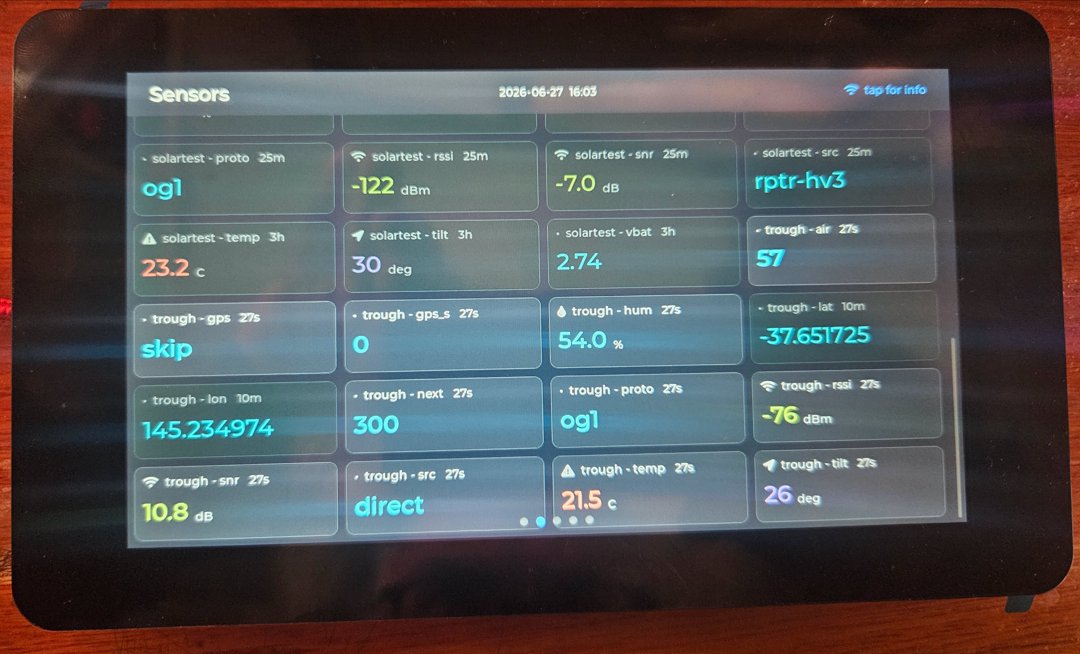 7-inch panel — the full live sensor grid, every metric on the site
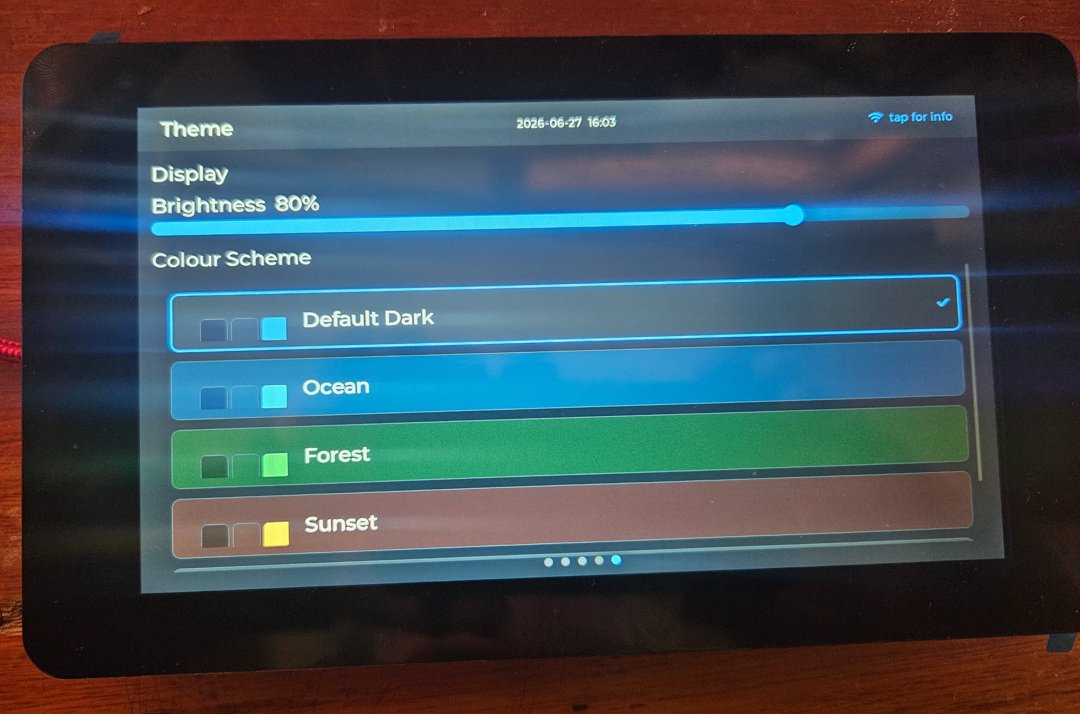 Themes and brightness — Default Dark, Ocean, Forest, Sunset; tune it to the room
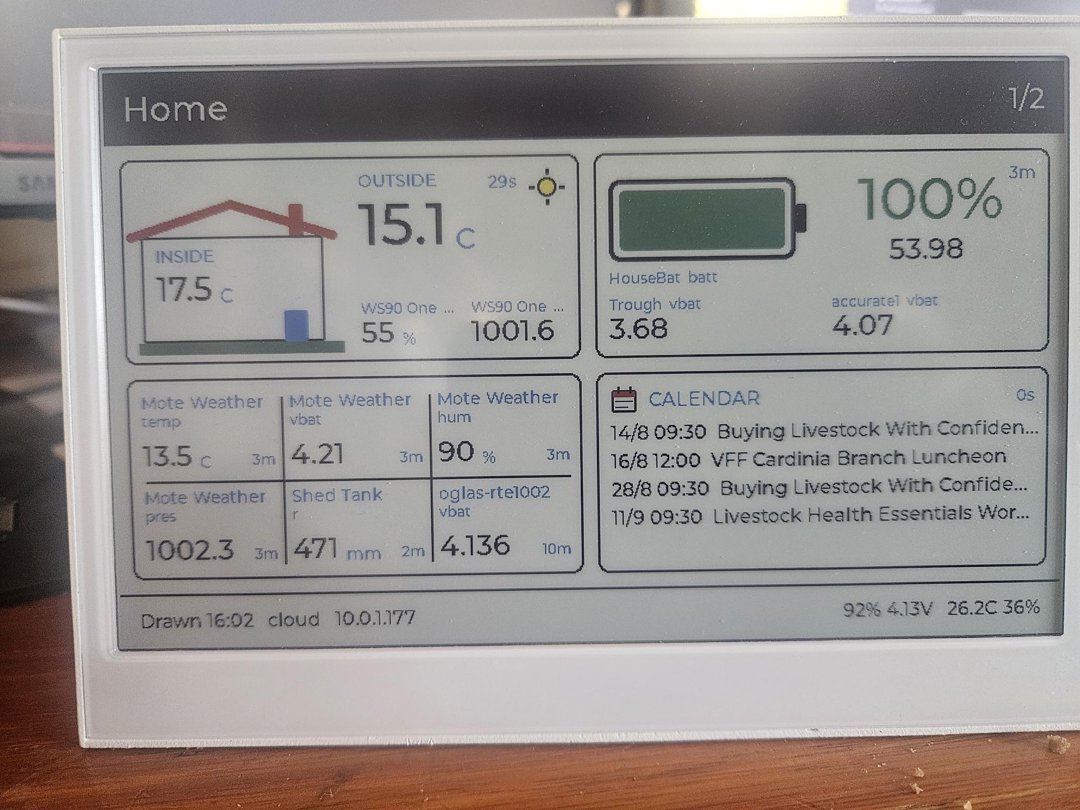 E-paper dashboard — pages of readings and your calendar, months on a charge
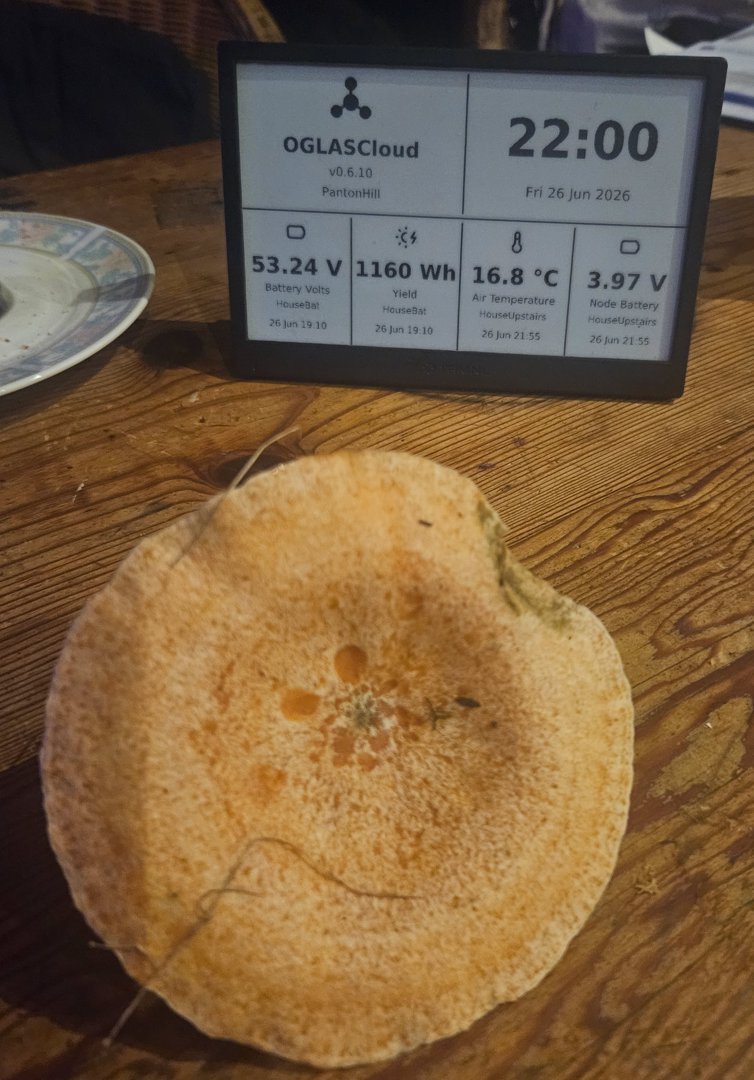 E-ink summary — clock plus your key numbers, running for months on a charge